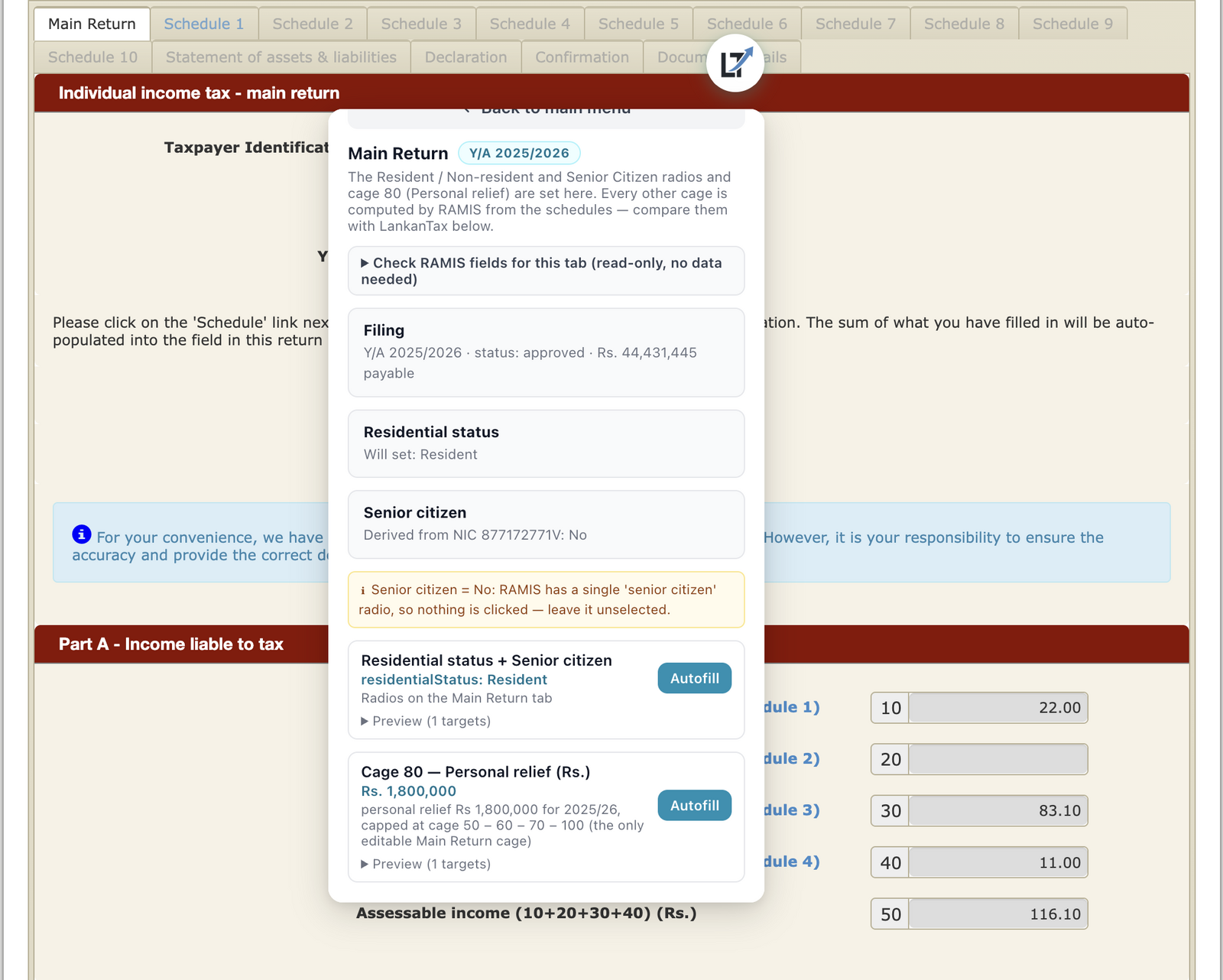
How it works
- Prepare the return in LankanTax.
- Log in to IRD e-services yourself and open the return.
- Click the extension — the fields fill from your prepared data.
- Review, correct anything, submit. The acknowledgment is issued by the IRD to you.
What it never does
- It never stores your IRD password — you log in yourself.
- It never submits without your click — you review every field and press submit on the portal.
- It never sends your data anywhere — it types your prepared figures into the page, nothing more.
How to get it
The extension is coming to the Chrome Web Store — it ships as part of the hosted edition of LankanTax for Accountants, which is what it fills from. It works in Chrome and Edge.
Using LankanTax Desktop? The family edition gives you a guided field-by-field fill instead — every figure from your prepared return matched to the exact portal field, in order. Same result, you do the typing.
New to e-filing altogether? Start with the step-by-step filing guide.