Tax software for accountants and tax practitioners in Sri Lanka
Every client's return, from intake to the IRD portal, in one place.
Clients send their figures through a link with your firm's name on it. Your team reviews them in one client list, LankanTax works out the computation, and the Chrome extension fills each return into IRD e-Services.
A web app. Nothing to install on office computers.
- Your whole teamSeveral staff work in one practice account.
- One client listStatus and deadlines for every client.
- Your firm's name on itClients use an intake link branded to you.
- Less time per returnThe Chrome extension fills each IRD return.
How a return moves
Less time on every return
The hours go into review, not into chasing figures and retyping them. Each client follows the same four steps.
Send the intake link
Each client gets a link with your firm's name on it and enters their own income details.
Review what came in
The client appears in your list. You check the figures and ask for anything missing.
Check the computation
LankanTax works out the tax band by band, with APIT and AIT credits applied, for the client file.
Fill the IRD portal
The Chrome extension types the prepared figures into IRD e-Services. You or the client reviews and submits.
Practice management
One list for the whole practice
Everyone in the firm sees the same picture of the season.
- Every client in one list. Their income details and where their return stands.
- Deadlines per client. The 30 November return and the quarterly instalments on 15 August, 15 November, 15 February and 15 May, the same dates as our tax deadlines calendar.
- Several staff, one account. Partners and juniors work from the same client list.
- Computations you can defend. Band-by-band workings for each client, including the rent deduction options and the 15% cap on remitted foreign income.
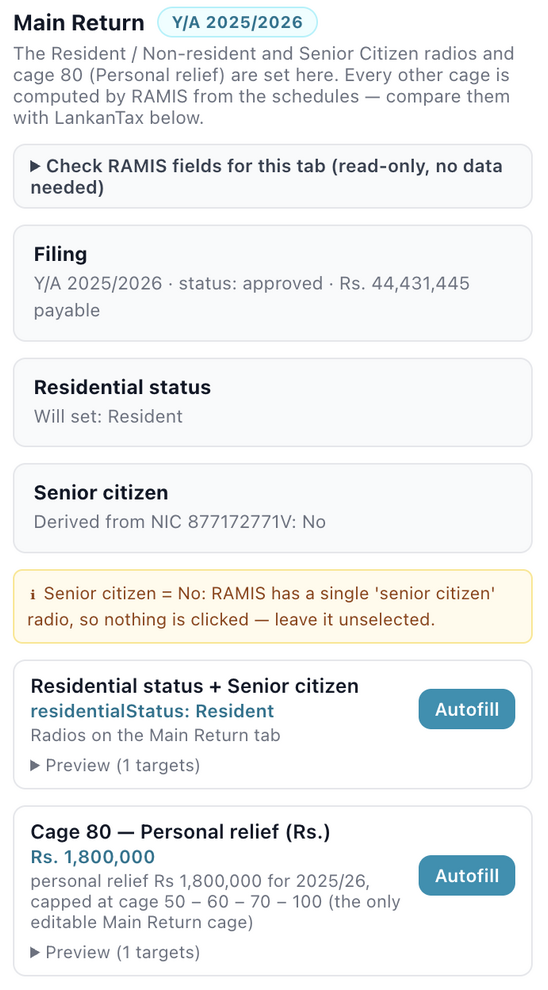
The Chrome extension
The return types itself in. You stay in charge.
For each client, the extension fills the IRD e-Services fields from the return you prepared. Works in Chrome and Edge.
- Nothing is submitted by the software. You, or the client on their own IRD login, review every field and submit on the official portal.
- It never stores an IRD password.
- The acknowledgment comes from the IRD, as it does today.
A reconciliation tool that works with Claude or ChatGPT
Free for practices. We show it in the demo.
For your clients, from us
Free material to send under your own cover email
Demo
Book a 20-minute demo
LankanTax for Accountants
We walk your practice through it on your own client scenarios, and go through pricing for the size of your practice.
- We contact youOn WhatsApp or by phone, within 2 hours (9am–6pm), to agree a time.
- 20 minutes, onlineIntake link, client list, computation and the Chrome extension.
- You decideNo payment is taken to book or attend.
Thanks. Request received.
We will be in touch within 2 hours (9am–6pm) to agree a time. Your reference is .
Message us on WhatsAppQuestions from practices
Who submits the return?
You do, or your client on their own IRD login. Nothing is submitted by the software. Every field is reviewed on the official IRD e-Services portal, and the IRD issues the acknowledgment.
How many of our staff can use it?
Several staff can work in one practice account, from the same client list.
What does the client see?
An intake link with your firm's name on it, where they enter their own income details. You review everything before a return is prepared.
What does it cost?
It depends on the size of your practice. We go through pricing in the demo.
Where is client data kept?
LankanTax is a web app, so client data is stored on our servers. That is what allows several staff to work together and the extension to fill the portal. It is used only to provide the service.
What is the free reconciliation tool?
A reconciliation tool that works with Claude or ChatGPT, free for practices. We show it in the demo.
Is there software for a business return?
Yes. See LankanTax Business.