Business income tax software for Sri Lanka · Y/A 2025/26
From a folder of bills to a business tax return, filled into the IRD portal.
Upload your bills, invoices and statements. LankanTax reads and codes each line, builds the tax file for your business, validates the computation, and its Chrome extension fills IRD e-Services. You review it and press submit.
For sole proprietors, partnerships and small private companies.
- Upload, don't typeBills, invoices and statements are read for you.
- Coded for the returnEach line is sorted by the coding rules.
- Checked before you fileThe computation is validated.
- Due 30 November 2026The return for 2025/26.
How it works
Four steps from your records to a filed return
The slow part of a business return is turning a year of paperwork into figures. That is the part LankanTax does.
Upload your records
Add your bills, invoices and bank statements to LankanTax.
Lines are read and coded
The reconciliation tool reads each line and codes it by the coding rules. You check and correct.
The tax file is built
LankanTax prepares the business tax file and validates the computation.
The portal is filled
The Chrome extension types the figures into IRD e-Services. You review and submit.
Who it is for
Built for businesses the owner runs
If the tax return lands on your desk, or your bookkeeper's, this is for you.
New to business tax? Read our small business tax guide and check the tax deadlines.
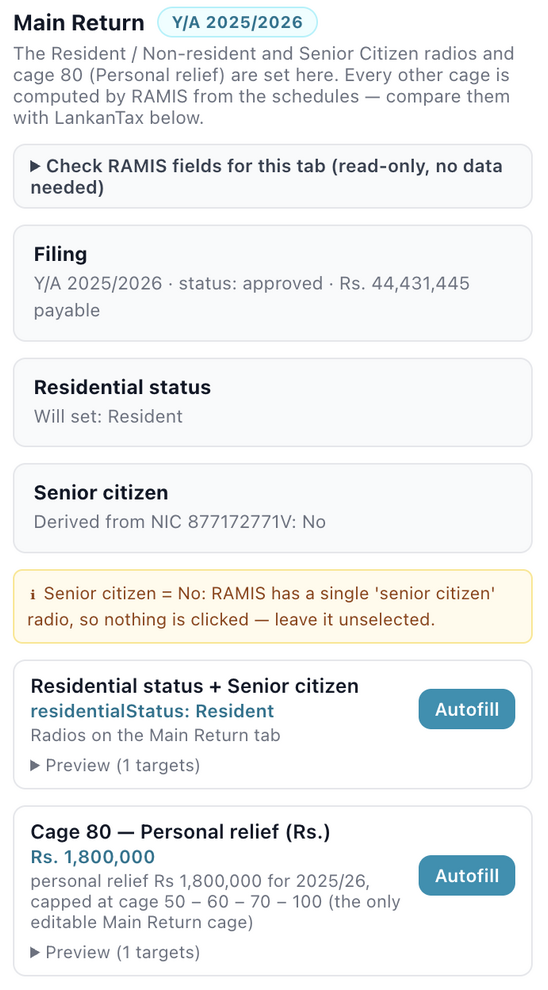
The Chrome extension
It does the typing. You stay in charge.
Included in the Business plan. Works in Chrome and Edge.
- It never stores your IRD password. You log in to IRD e-Services yourself, as you do today.
- It never submits for you. You review every field and press submit on the official portal.
- Your acknowledgment comes from the IRD.
LankanTax Business
The business income tax return, from records to the IRD portal.
Rs 36,000a year
- One business profile
- Up to 600 statement lines a year, read and coded
- Upload bills, invoices and statements
- Tax file built and computation validated
- Chrome extension fills the IRD e-Services portal
The plan
One price for the year
- More than 600 lines? Extra statement lines are sold in bundles at about Rs 150 a line.
- More than one business? Extra profiles can be added for an extra yearly fee.
- A web app. It runs in your browser, with nothing to install.
- Coming soon: connections to Xero, QuickBooks and Zoho Books, as paid add-ons. Not available yet.
Order
Get LankanTax Business
LankanTax Business
Rs 36,000a year
One business profile, up to 600 statement lines a year.
- We confirmOn WhatsApp or by phone, within 2 hours (9am–6pm).
- You payBy bank transfer. We send the details.
- You sign inWe send your sign-in details. LankanTax runs in your browser.
Thanks. Request received.
We will be in touch within 2 hours (9am–6pm). Your reference is .
Message us on WhatsAppQuestions before you buy
Which businesses is it for?
Sole proprietors, partnerships and small private companies. The Business plan covers one business profile and its income tax return for the year.
What is a statement line?
One line that LankanTax reads and codes from the bills, invoices and bank statements you upload. The plan includes up to 600 a year.
What if I have more than 600 lines?
Extra statement lines are sold in bundles at about Rs 150 a line. We confirm the bundle with you before anything is charged.
Do I have to type in my bills?
No. You upload them, and the reconciliation tool reads each line and codes it by the coding rules. You check the result and correct anything that is wrong.
Does it connect to my accounting software?
Not yet. Connections to Xero, QuickBooks and Zoho Books are coming soon as paid add-ons.
Do I still submit through the IRD?
Yes. LankanTax prepares the return. You submit it yourself on the official IRD e-Services portal, and your acknowledgment comes from the IRD.
How do I pay, and when can I start?
Send the order request. We confirm on WhatsApp or by phone, send bank transfer details, and then your sign-in details. There is no card payment online yet.
Is this for my own personal return too?
No. For your own return, see the Individual and Family plans. Accountants preparing returns for clients should see LankanTax for Accountants.