Who needs a TIN in Sri Lanka
Since 1 January 2024, every individual aged 18 or over who is resident in Sri Lanka is required to register for a TIN under section 102 of the Inland Revenue Act, whether or not they earn enough to pay tax. Not registering carries a penalty of up to Rs 50,000. In practice you will be asked for a TIN when you:
- open or update a bank account, fixed deposit or investment account;
- start a job where APIT is deducted, or become self-employed or a freelancer;
- buy or sell land, a vehicle or shares, or import goods;
- file an income tax return, claim a refund of APIT or AIT, or use any IRD e-service.
A TIN does not mean you owe tax. Tax is due only when your income exceeds the Rs 1.8 million personal relief. The rules on who is liable to pay income tax in Sri Lanka take two minutes to read.
What you need before you start
- Your National Identity Card (NIC). Foreign nationals use a passport.
- A mobile number and an email address you control. The IRD sends your TIN certificate and PIN to this email.
- Clear photos or scans of the front and back of your NIC.
- For a business: the business registration certificate (sole proprietorship or company).
Online TIN registration, step by step
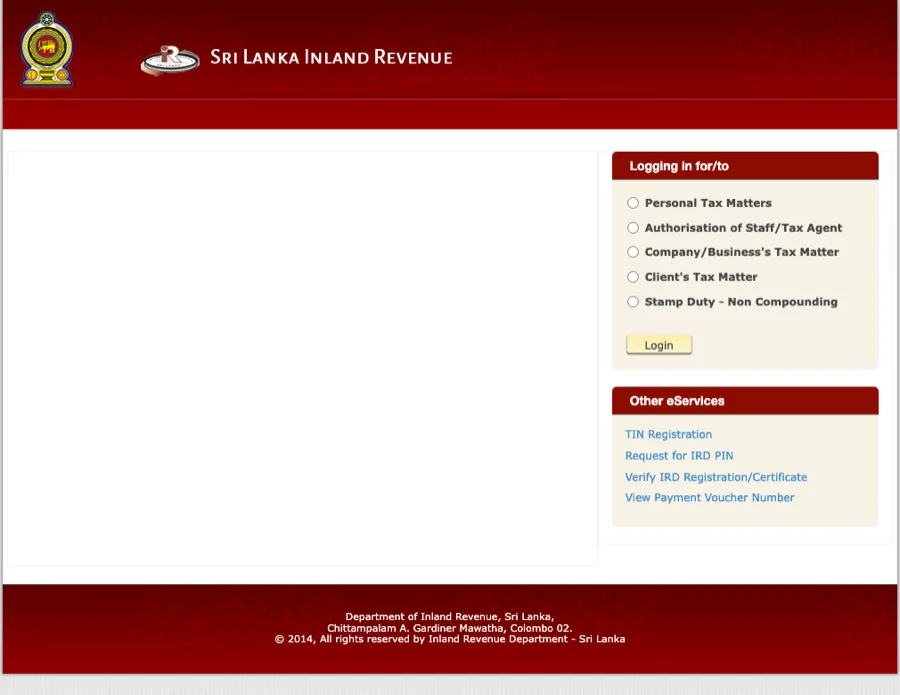
- Go to eservices.ird.gov.lk. Under Other eServices on the right, click TIN Registration. You do not need to log in.
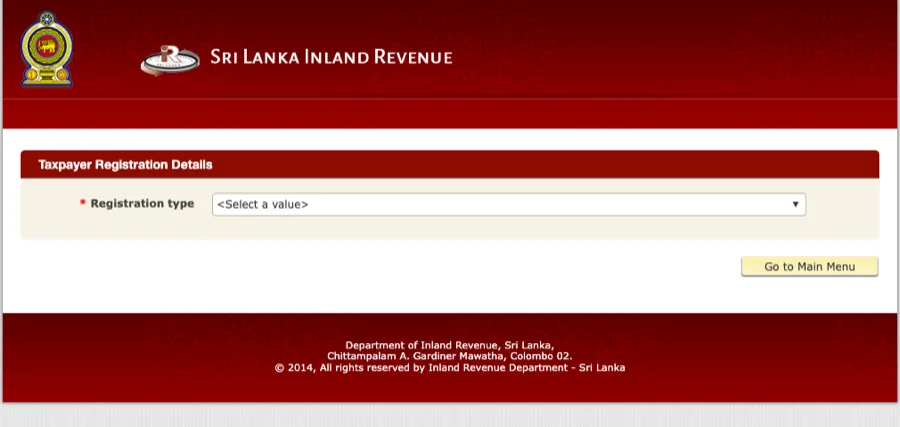
- On Taxpayer Registration Details, set Registration type to Individual and the purpose of registration (for most people, Income Tax). Extra fields appear once you choose.
- Enter your NIC number, full name, date of birth and address exactly as they appear on your NIC. Mismatches are the most common reason for rejection.
- Enter your mobile number and email address, then upload the NIC images.
- Submit. You receive an acknowledgment reference on screen and by email. Keep it.
- Within about a week the IRD emails your TIN certificate (a PDF showing your nine-digit TIN) and a one-time PIN. Use the PIN to activate your e-services login, which you will later use to file your return.
Prefer to register in person? Take your NIC to the Primary Registration Unit at IRD head office (Sir Chittampalam A. Gardiner Mawatha, Colombo 02) or any regional office. The certificate is issued the same day, normally within about 20 minutes.
How to check your TIN number online
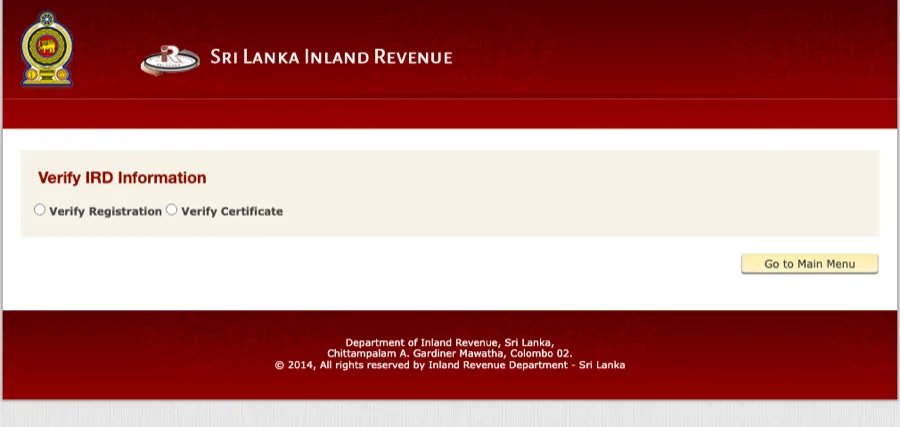
There is no public search by name. What the IRD provides is Verify IRD Information, which confirms whether a TIN or certificate is genuine and registered. Use it if you were registered by an employer, a bank or an agent and want to confirm the number they gave you.
- On eservices.ird.gov.lk, click Verify IRD Registration/Certificate.
- Choose Verify Registration to check a TIN, or Verify Certificate to check the certificate number printed on a TIN certificate.
- Enter the number and submit. The portal confirms the registration and the name it is held under.
Forgot your TIN, or not sure you have one?
Do not submit a second registration. Duplicate TINs create a mess that takes months to untangle. Instead:
- Search your email for a message from the IRD containing “TIN” or “Taxpayer Identification Number”. The certificate PDF is attached to it.
- Check your payslip or T-10 certificate. Employers who deduct APIT record your TIN on it.
- Call the IRD hotline on 1944 with your NIC number, or visit the Primary Registration Unit or any regional office with your NIC and ask them to trace it.
If the portal tells you “there is an existing TIN registration request”, an application is already in progress under your NIC. Wait for the email rather than re-applying.
Getting your TIN certificate
The TIN certificate is the IRD’s PDF confirming your nine-digit number, the tax types you are registered for and the date of registration. Banks and employers usually accept a printout. If you registered online, it arrives by email. If you registered in person, you receive it at the counter. If you have lost it, the Primary Registration Unit can reprint it against your NIC; there is no fee.
Requesting an IRD PIN
The PIN is what turns a TIN into a working e-services login. If you have a TIN but no PIN (or your PIN has expired), click Request for IRD PIN on the e-services home page, enter your TIN and NIC, and choose delivery by email. The IRD hotline on 1944 can also reissue a PIN. You need the PIN before you can file a return online.
TIN for a business, freelancer or company
A sole proprietor uses their personal TIN; there is no separate number. A registered company or partnership needs its own TIN, obtained through the same portal with the registration certificate uploaded. If your turnover approaches the VAT or SSCL thresholds you register for those tax types against the same TIN. See the small business tax guide, VAT registration and SSCL pages.